
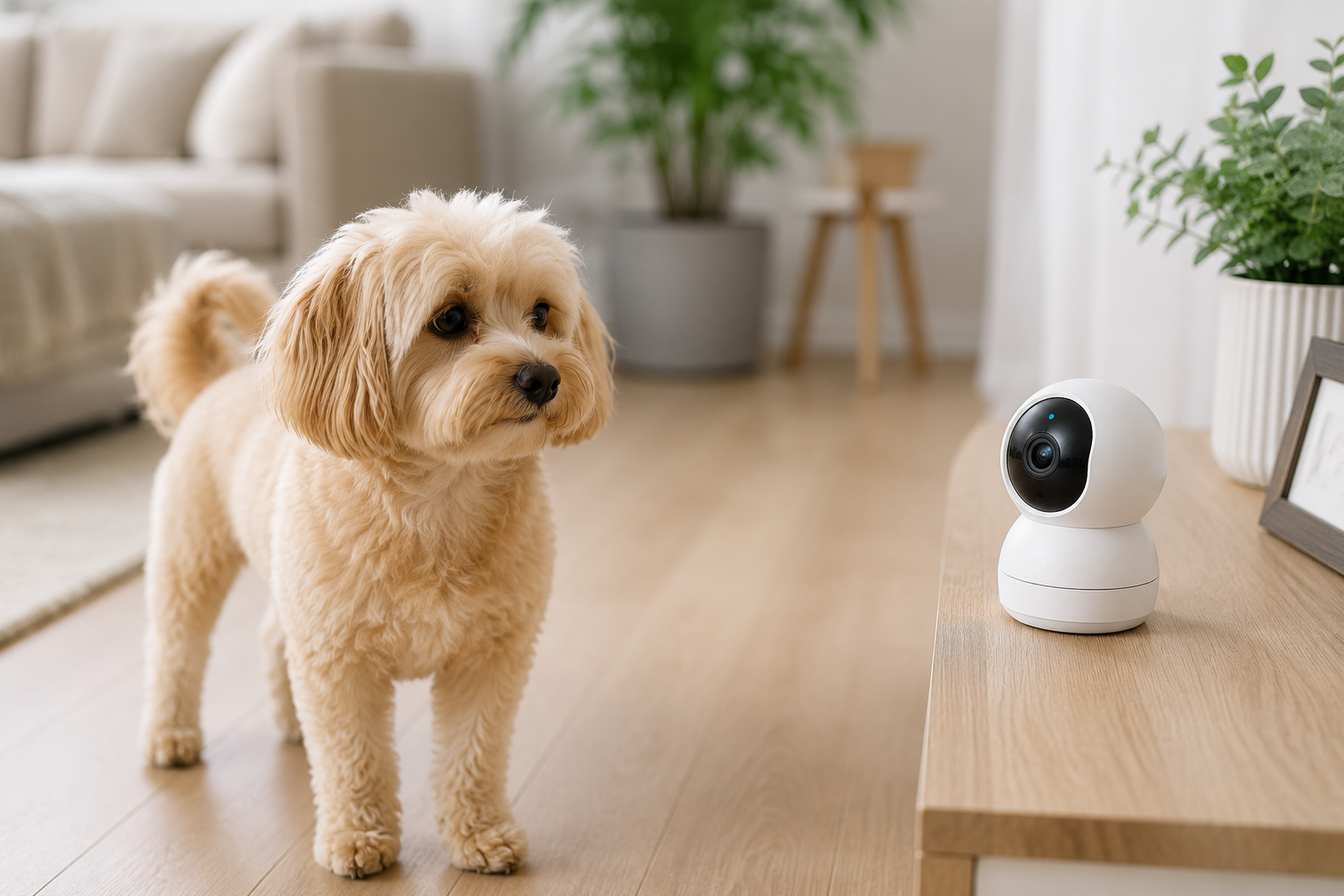

You are at work, in a meeting, at the shops — and you cannot stop wondering what your dog is doing. Are they sleeping? Anxious? Have they chewed something? You want to check in, maybe toss them a treat, tell them you will be home soon.
The best pet camera does all of this and more. Modern pet cameras are two-way devices — you can see your pet in real time, speak to them through a built-in speaker, hear what they are doing through a microphone, and in many cases, dispense treats remotely from your phone. Some rotate 360 degrees. Some alert you when your pet barks. Some even use AI to detect your dog specifically versus other motion.
This guide ranks the best pet cameras available right now, covers what to look for before buying, and helps you choose the right option for your budget and setup.
What to Look for in a Pet Camera
Video Quality
1080p is the minimum worth buying in a pet camera. 2K and 4K options give you clearer detail — useful when you want to check whether your cat’s eye looks normal or what exactly your dog has in their mouth. Low light and night vision performance matters as much as daytime resolution.
Two-Way Audio
A microphone and speaker are essential. Hearing your dog panting with anxiety and not being able to respond is worse than not watching at all. Good two-way audio means your voice sounds clear through the camera’s speaker — not tinny or robotic — so your pet actually recognises it as you.
Treat Dispensing
Treat dispensers are the feature that separates pet cameras from general home security cameras. The ability to reward your dog remotely for calm behaviour, or simply give them a positive moment when you check in, is genuinely useful — not just a gimmick.
App Quality and Reliability
The camera is only as good as its app. Look for apps with consistent reviews across iOS and Android, reliable connection speeds, and notifications that are fast enough to be useful. A camera with a laggy or crash-prone app is frustrating in practice regardless of its hardware specs.
Field of View and Pan/Tilt
A wide-angle lens (120–160 degrees) covers a room without manual adjustment. Pan/tilt cameras rotate remotely through the app, letting you scan the whole room rather than just one fixed angle. For larger rooms or dogs who roam, pan/tilt is worth the upgrade.
Subscription Requirements
Some cameras offer full features without any subscription. Others lock cloud recording, bark alerts, or activity summaries behind monthly fees that add $5–$15 per month. Factor this into the true cost of ownership.
Wi-Fi Compatibility
Most pet cameras require 2.4GHz Wi-Fi. Some newer models support 5GHz, which is faster and less congested — useful if your home network is busy. Check compatibility before purchasing.
Best Pet Cameras — Top Picks
1. Furbo 360° Dog Camera — Best Overall Pet Camera
The Furbo 360 is the benchmark against which all other pet cameras are measured. It rotates 360 degrees remotely through the app, shoots 1080p video with night vision, has a barking alert system with real-time notifications, and dispenses treats at the touch of a button on your phone.
The two-way audio is clear and responsive. The app is one of the best in the category — fast, reliable, and intuitive. Furbo also offers a Dog Nanny subscription service with activity summaries, doggy selfies (triggered when the camera detects your dog’s face), and cloud video history.
It works with Alexa and Google Assistant, which makes it easy to keep on the coffee table or shelf without looking obviously security-camera-adjacent.
Best for: Dog owners who want the best all-round experience and are happy to pay a premium for it. Subscription: Optional Dog Nanny plan ($6.99/month) adds cloud recording, activity timeline, and person alerts. Where to buy: Amazon / Best Buy / PetSmart
2. Petcube Bites 2 — Best Pet Camera for Cats
The Petcube Bites 2 combines a 1080p camera with a built-in treat dispenser that works with any small treat, not just proprietary ones. Its wide 160-degree field of view is one of the broadest in the category, and it has clear two-way audio with a noise-cancelling microphone.
What makes it particularly good for cats is the optional laser toy integration (available on Petcube Play 2) and its compatibility with irregular treat shapes. The Petcube app allows you to set up automated treat-tossing schedules so your cat gets a treat at the same time every day whether you remember to open the app or not.
Best for: Cat owners, and households with both cats and dogs. Subscription: Petcube Care plan ($10/month) for 30-day video history and 10x treat discount. Where to buy: Amazon / Chewy / Petcube website
3. Eufy Pet Dog Camera D605 — Best Budget Pet Camera
The Eufy D605 is the most compelling budget option in the market. It shoots 2K video (sharper than most cameras at twice the price), has a 360-degree pan/tilt function, built-in treat dispenser, bark detection, and two-way audio — all without a mandatory subscription for basic features.
Eufy stores footage locally on a micro SD card rather than relying on cloud storage, which means no monthly fee for video history. The app is solid and connects reliably to both 2.4GHz and 5GHz networks.
Best for: Owners who want strong features without subscription costs or a premium price tag. Subscription: None required. Optional cloud plan available. Where to buy: Amazon / Best Buy / Eufy website
4. Wyze Cam v3 — Best Ultra-Budget Option
At around $35, the Wyze Cam v3 is the cheapest camera on this list by a significant margin — and it punches well above its price point. It shoots 1080p video, has colour night vision (unusual at this price), two-way audio, and a motion detection alert system.
What it does not have is a treat dispenser or pet-specific features like bark alert. But for owners who simply want to check in visually on their pet without spending much, or who want a secondary camera for another room, it is hard to beat.
The Wyze app is free for basic features. Cam Plus ($1.99/month per camera) adds person detection, package detection, and longer event recordings.
Best for: Budget shoppers, secondary room cameras, owners who do not need treat dispensing. Subscription: Optional at $1.99/month. Basic features free. Where to buy: Amazon / Walmart / Best Buy
5. Arlo Essential Indoor Camera — Best for Privacy-Conscious Owners
The Arlo Essential has a physical privacy shutter that covers the lens when you are home — no fumbling through an app to disable the camera. It shoots 1080p with a 130-degree field of view, has two-way audio, and integrates with Alexa, Google Assistant, and Apple HomeKit.
It does not have a treat dispenser, but its video quality and app reliability are excellent, and the physical privacy cover is a genuine differentiator for households where people feel uncomfortable with an always-on camera inside the home.
Best for: Privacy-conscious owners, households where others (cleaners, guests, family members) may not want to be on camera. Subscription: Arlo Secure ($2.99/month) for cloud storage and smart alerts. Where to buy: Amazon / Best Buy / Costco
6. Ring Indoor Cam — Best for Ring Ecosystem Owners
If you already have Ring doorbells or a Ring Alarm system, the Ring Indoor Cam integrates seamlessly into your existing setup. It shoots 1080p with a 115-degree field of view, has two-way audio, and plugs directly into a wall outlet.
The Ring app allows you to monitor multiple cameras side by side, which is useful if you have cameras in more than one room. It does not have a treat dispenser or pet-specific features.
Best for: Existing Ring users who want to add pet monitoring to their home security setup. Subscription: Ring Protect Basic ($3.99/month) for video history. Where to buy: Amazon / Ring website / Best Buy
Comparison Table — Best Pet Cameras
| Camera | Resolution | Treat Dispenser | 360°/Pan-Tilt | Subscription Required | Price Range |
|---|---|---|---|---|---|
| Furbo 360° | 1080p | Yes | 360° rotation | Optional | $$$ |
| Petcube Bites 2 | 1080p | Yes | No (wide angle) | Optional | $$ |
| Eufy D605 | 2K | Yes | Pan/tilt | No | $$ |
| Wyze Cam v3 | 1080p | No | No | No (basic) | $ |
| Arlo Essential | 1080p | No | No | Optional | $$ |
| Ring Indoor Cam | 1080p | No | No | Optional | $$ |
Pet Camera vs Home Security Camera — What’s the Difference?
A general home security camera monitors your home for intruders. A pet camera is designed for a completely different purpose: monitoring and interacting with your pet while you are away.
The key differences:
Treat dispensing — no home security camera has this. It is exclusively a pet camera feature and is genuinely useful for reinforcing calm behaviour during your absence.
Bark and sound alerts — pet cameras with bark detection notify you specifically when your dog vocalises, not just when there is general motion or sound. This is more useful than generic motion alerts which trigger constantly in a pet-occupied home.
Two-way audio designed for pets — the speaker quality and placement in pet cameras is designed to project your voice clearly at pet level, not toward a standing human adult.
App experience — pet camera apps typically show you activity trends, treat history, and event logs specific to pet behaviour. Security camera apps focus on recording events for evidence purposes.
If you are considering a general security camera for pet monitoring, you can make it work — but you will miss the treat dispensing, bark alerts, and pet-specific app features that make dedicated pet cameras significantly more useful for this purpose. A camera like the best automatic cat feeder combined with a pet camera is an excellent setup for cats who need scheduled feeding alongside remote monitoring.
Do Pet Cameras Help With Dog Anxiety?
For dogs with separation anxiety, a pet camera is a useful monitoring tool — but it is not a treatment on its own. Watching your dog pace and bark on the camera without being able to do anything about it can actually increase owner anxiety rather than reduce it.
Used well, a pet camera for separation anxiety helps you:
- Confirm how quickly your dog settles (or does not settle) after you leave
- Monitor progress during a desensitisation programme
- Check in briefly via audio to assess their state without full visual stimulation
- Track whether training and supplement interventions are making a difference
The mistake is using the camera to constantly check in, which can prevent the dog from learning to settle independently. Set specific check-in times rather than watching continuously.
Tips for Setting Up Your Pet Camera
Place it at your pet’s eye level or slightly above. A camera on a high shelf shows you the top of your dog’s head. Position it where you can see their face and body clearly.
Point it toward where your pet most commonly rests. Most dogs have a favourite spot. Position the camera toward that area first, then use pan/tilt or manual adjustment if you need wider coverage.
Test the treat dispenser with your pet’s regular treats first. Not all treats work in all dispensers. Soft treats can jam. Small hard treats (like Zuke’s Mini Naturals, the same treats used in training) tend to work best in most dispensers.
Place it where the Wi-Fi signal is strong. A pet camera far from your router will have frequent drop-outs and connection issues. If signal is weak in the room, consider a Wi-Fi extender before purchasing.
Introduce it to your pet gradually. Some dogs and cats are wary of a new object in their space, especially one that makes sounds. Let them sniff it while switched off, then power it on while you are present before using it remotely.
Pet Camera FAQ
Do I need a subscription for a pet camera? It depends on the camera. The Eufy D605 and Wyze Cam v3 offer full basic functionality without a subscription. Furbo and Petcube have optional paid plans that add cloud recording, activity summaries, and additional features — but the cameras work for basic monitoring without them. Check what is included for free versus paid before buying.
Can my pet see me on a pet camera? No — there is no screen on a pet camera facing your pet. However, they can absolutely hear your voice through the speaker. Dogs in particular often respond clearly to hearing their owner’s voice through the camera, even without visual.
Do pet cameras work with 5GHz Wi-Fi? Most pet cameras use 2.4GHz Wi-Fi only. The Eufy D605 supports both 2.4GHz and 5GHz. If your router broadcasts a combined network, most cameras will auto-select 2.4GHz. If your network separates the two bands, you may need to connect via your 2.4GHz network specifically.
Is Furbo worth the price? Furbo is consistently the best reviewed pet camera on the market for a reason — the hardware, app, and treat dispenser work reliably and the 360-degree rotation is genuinely useful. Whether it is worth the premium over the Eufy D605 (which costs significantly less) depends on how much you value the brand’s app experience and the Dog Nanny features. Both cameras are excellent for their respective price points.
Can I use a pet camera for cats? Absolutely. Petcube Bites 2 is particularly well-suited for cats. Any camera with a treat dispenser can be used with small cat treats. Cameras with a laser feature (Petcube Play 2) add an interactive element that cats particularly enjoy.
How do I stop my pet camera from being hacked? Use a strong, unique password for both the camera and your Wi-Fi network. Enable two-factor authentication on the camera’s app where available. Keep the camera firmware updated. Stick to reputable brands (Furbo, Petcube, Eufy, Wyze, Arlo, Ring) that issue regular security updates rather than cheap no-name cameras with unknown security practices.
Conclusion
The best pet camera for most dog owners is the Furbo 360° — its combination of 360-degree rotation, reliable treat dispensing, bark alerts, and an excellent app makes it the most complete option on the market. If budget is a concern, the Eufy D605 offers nearly the same feature set at a significantly lower price with no mandatory subscription.
For cat owners, the Petcube Bites 2 is the standout choice, with its wide field of view and flexible treat compatibility. For those who just want a simple, reliable camera without pet-specific features, the Wyze Cam v3 remains the best value at its price point.
Whichever you choose, a pet camera gives you something that no other pet product provides: genuine peace of mind when you are away. Seeing your dog settled on their bed, tossing them a treat from your desk at work, and hearing them recognise your voice through the speaker — that combination is worth every penny.
Always position pet cameras responsibly and be mindful of others in your household who may not wish to be recorded.
Also read: Separation Anxiety in Dogs — Signs and How to Help | Best Automatic Cat Feeder | Best Dog Training Treats | Enrichment Toys for Dogs | How Long Can a Dog Be Left Alone